
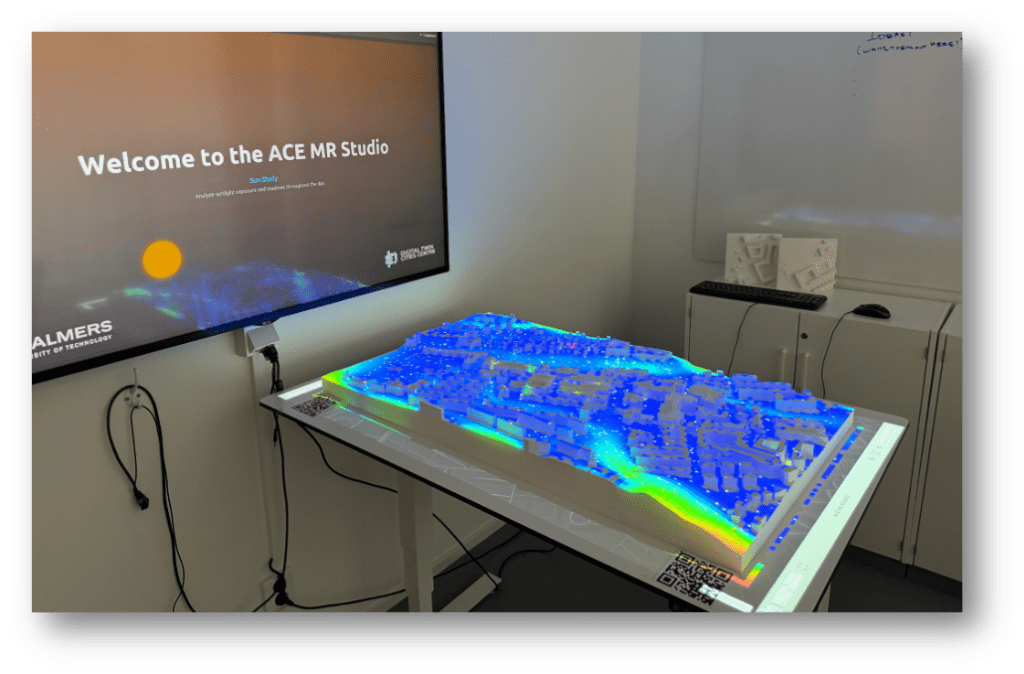
Complex urban simulations are often difficult to discuss collectively. Results live on individual screens, in reports, or PowerPoint presentations, making shared immersive interpretation challenging.
The Research Area Sustainable Built Environments (SBE) at Chalmers developed the ACE Mixed Reality Studio to address this problem. The studio combines a physical model of the Chalmers Campus with Mixed Reality visualisation workflows to develop, test and support collaborative analysis and decision-making.
The Vision: Making the Invisible Visible
In sustainable urban research, we often simulate futures that nobody in the room can quite see. We face a “black box” problem: sophisticated simulations yield important data, but when results live only in spreadsheets, dashboards, or PowerPoint slides, stakeholders struggle to engage. Too often, the most critical insights never make it into the room where decisions are actually made.
In 2020, Associate Professor Alexander Hollberg (PI) began articulating the need for something more specific than a new visualisation technique. Table-based models and immersive environments were not new. What was missing was a dedicated space at Chalmers: a lab where digital urban methods could be tested, demonstrated, and developed collaboratively, rather than remaining as isolated prototypes or one-off demonstrations.
We needed a medium that bridged the gap between the analytic and the intuitive. We were inspired by the work of VisLab at Universeum, the AIT City Intelligence Lab, the Environmental Performance and Design Lab (EPDL), Boid, and HOOPP. These projects demonstrated that when people can physically gather around a model, the conversation shifts from passive consumption to active collaboration.
From Virtual to Mixed Reality
Before we committed to a physical model, we explored the digital bits. Through the DTCC Twinable project, with Liane Thuvander, we tested the waters in Virtual Reality.
Working with project partners AFRY and Landvetter Södra, we developed the GreenVR prototype. This initiative focused on the procedural generation of digital twins. Instead of manually modelling every tree and bush, we used algorithms to populate natural surroundings based on forestry data.
Early explorations in the Twinable project: Procedural VR environments from real-world data.
While technically impressive, these VR experiences revealed a persistent tension: the more immersive the headset became, the more socially distant the room felt. Stakeholders were cut off from non-verbal cues and tactile interaction, making collective decision-making difficult.
In search of a shared medium, we collaborated with Universeum Vislab and Jonas Boström to visualise our research data on their exhibition table. This was a revelation. Seeing our data narrative unfold on a physical map demonstrated the immense power of storytelling in communicating complex urban issues. It allowed stakeholders to stand together, point out, and discuss issues.
The Universium vislab Urban Model of Gothenburg
However, relying on an external exhibition model limited our ability to iterate. We couldn’t just print a new district or change the code overnight. We realised that to truly prototype new solutions, we needed this infrastructure in-house. With advice from Infravis and
Linköping University, who helped develop the Universeum model, we began planning our own solution.
Why a Table?
Why, in an age of AI and immersive headsets, do we return to a physical table?
Because complex urban decisions are rarely made by one person, they are social processes. A table is inherently democratic; it allows multiple people to view the same data from different angles simultaneously. It grounds abstract metrics in a physical reality that everyone in the room can agree on – A boundary object. When you project a heat map onto a physical model, it stops being a chart and becomes a place.
The Material as a Character
The goal was clear: build a physical platform that could host digital data. We started by consulting the experts at our own A-verkstad. Jarkko Nordlund and Tabita Nilsson gave us the confidence that we could manufacture the model in-house.
Choosing the material was not a trivial decision. Whatever we printed would become both a research instrument and a projection surface. It needed to be precise, neutral, robust, and reproducible.
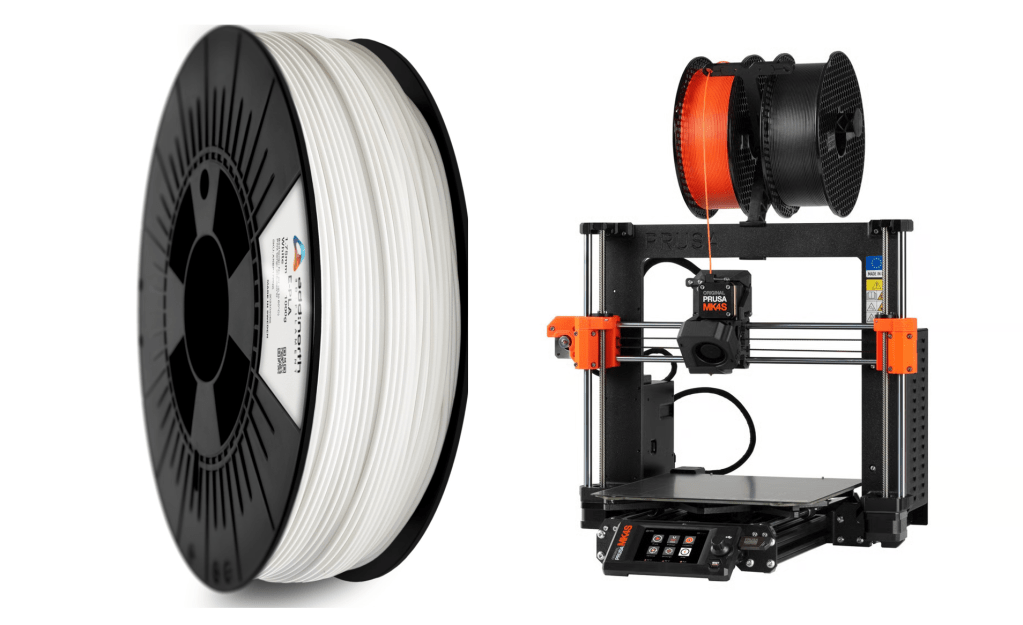
AddNorth EPLA Economy turned out to be an ideal solution. Beyond being 100% corn-based and Swedish-made, its matte white finish acts as a perfect canvas for projection mapping. It reflects light neutrally without the specular highlights you might get from PETG or ABS, effectively becoming a physical screen.
In practice, this meant we could treat the physical model not as a fragile artefact, but as an everyday research instrument: handled, reconfigured, and reused without much hassle.
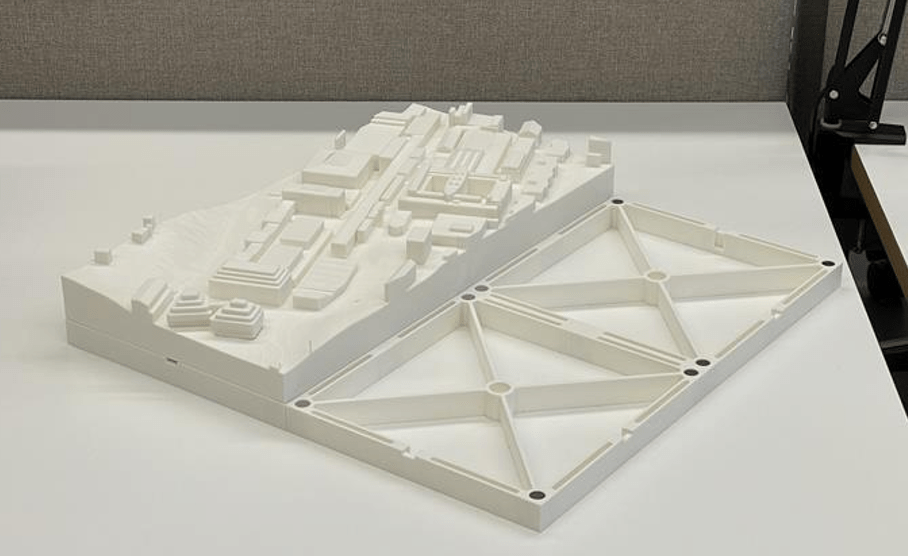
Close-up of the 3D printed tiles showing the reinforcement ribs and magnet positions.
Aiming for Modularity
Building the physical model wasn’t just about printing; it was a design challenge led by Sanjay Somanath. “We didn’t want a static sculpture; we wanted a system that could grow with the campus.” says Sanjay.
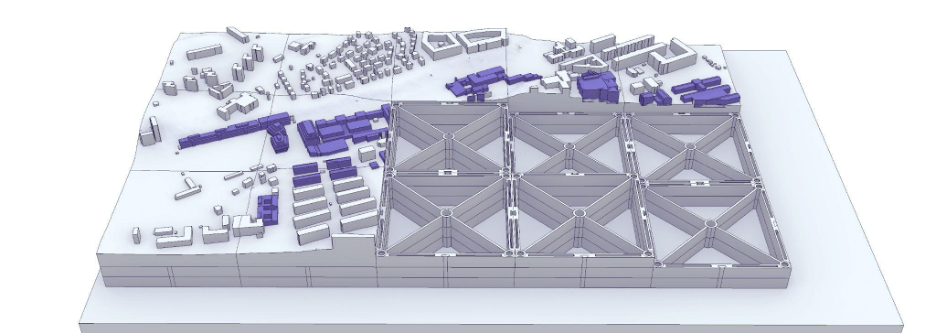
Early CAD models of the MR Table showing the tiling system and the detailed buildings.
Sara Abouebeid provided a detailed base model of the Chalmers Campus, which included landmark buildings such as the Johanneberg Science Park, the climbing hall, and the Chalmers ACE building. The next step was to design a scalable tiling system. Our initial designs used a dovetail locking mechanism.
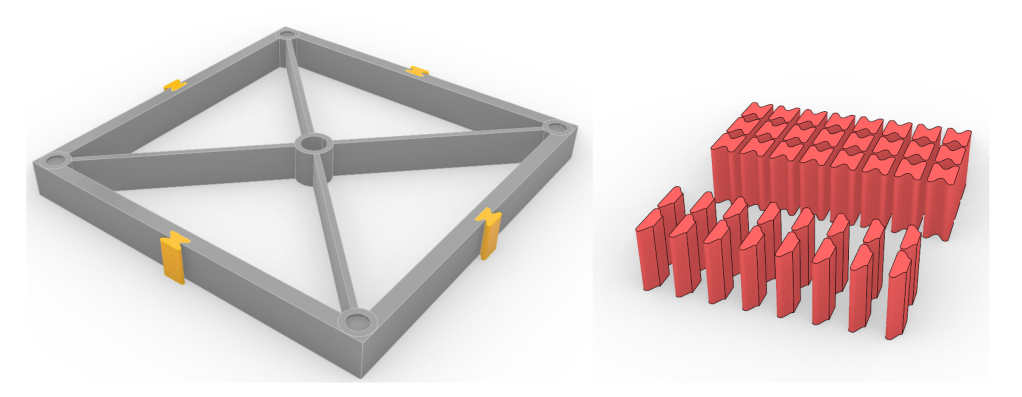
In late 2025, Master’s student Arvid Hall joined the team as a student assistant and identified a critical flaw: the dovetails required vertical insertion. To replace a single central tile, you had to dismantle the entire surrounding neighbourhood. Arvid prototyped a wide range of alternatives, experimenting with rods, buttons, and various radii, before settling on a robust slotting tab system.
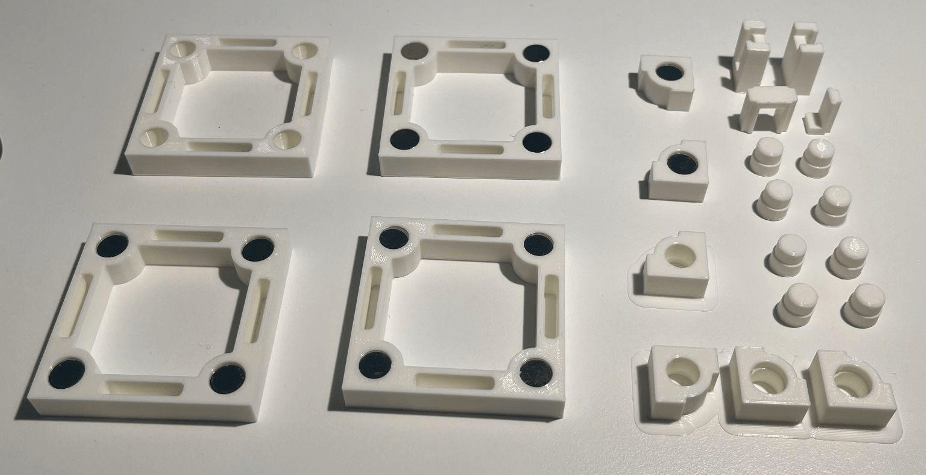
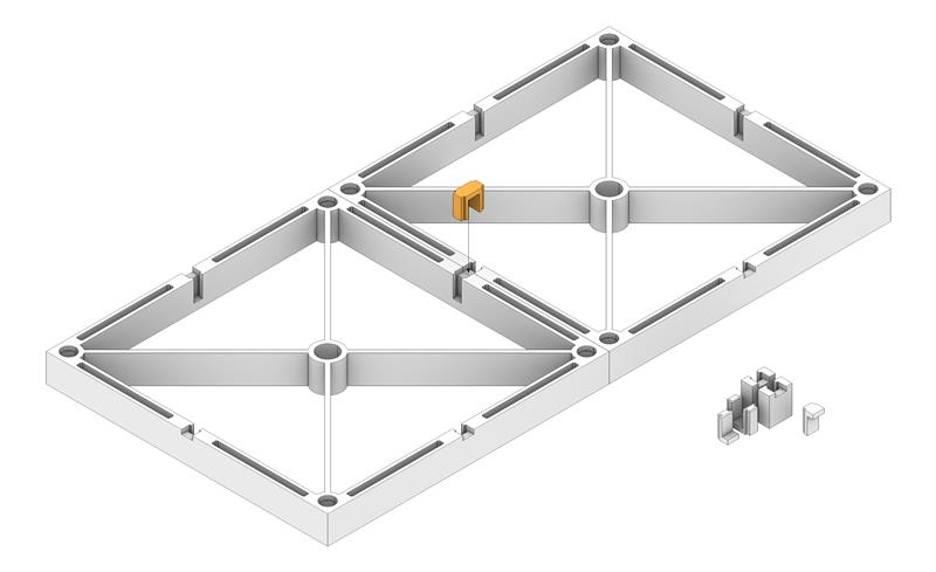
This seemingly small change, from dovetails to lateral slots, meant that the model could behave like a living system rather than an artefact. It allowed us to swap out a “2025” building tile for a “2030” proposal in seconds, without disrupting the rest of the neighbourhood.
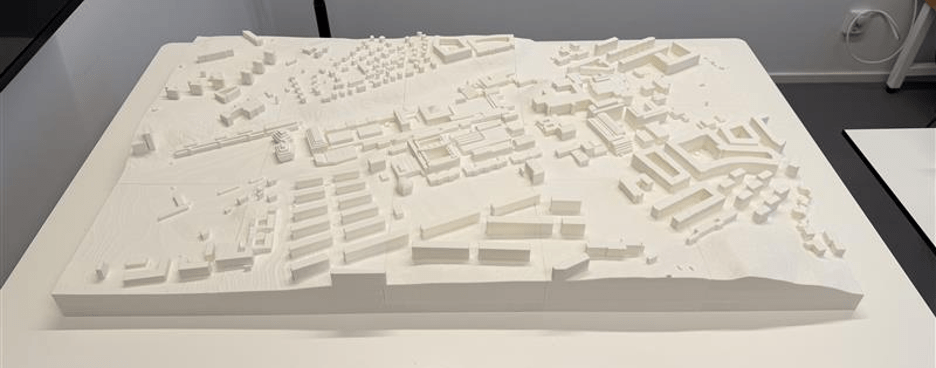
The advantage of this code-driven approach is its universality. We can generate a physical-digital twin for any location in Sweden, from a single city block to an entire municipality, almost entirely automatically.
PowerPoint as a Projection Engine
While the printer nozzles were busy, the digital team was solving the other half of the puzzle: the projection.
Vasilis Nasarentin (DTCC) and Fabio Latino (Infravis) supported the development of the pipeline. Aiming for a “Minimum Viable Product,” our first projection system was… PowerPoint!
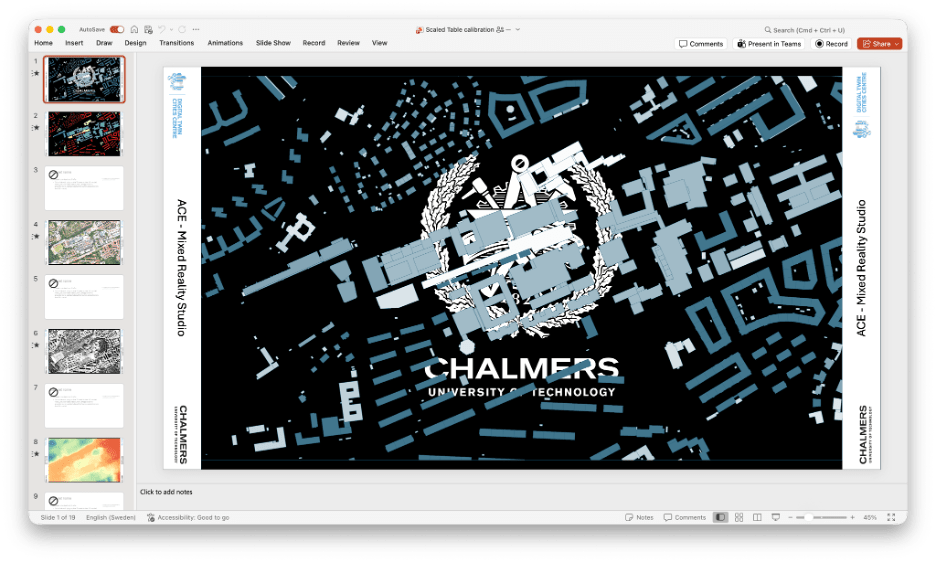
It allowed us to prove the concept and test the readability of text, colour reproduction and animations at 1:1250 scale without writing a line of code. Once validated, we moved to a full-fledged web app.
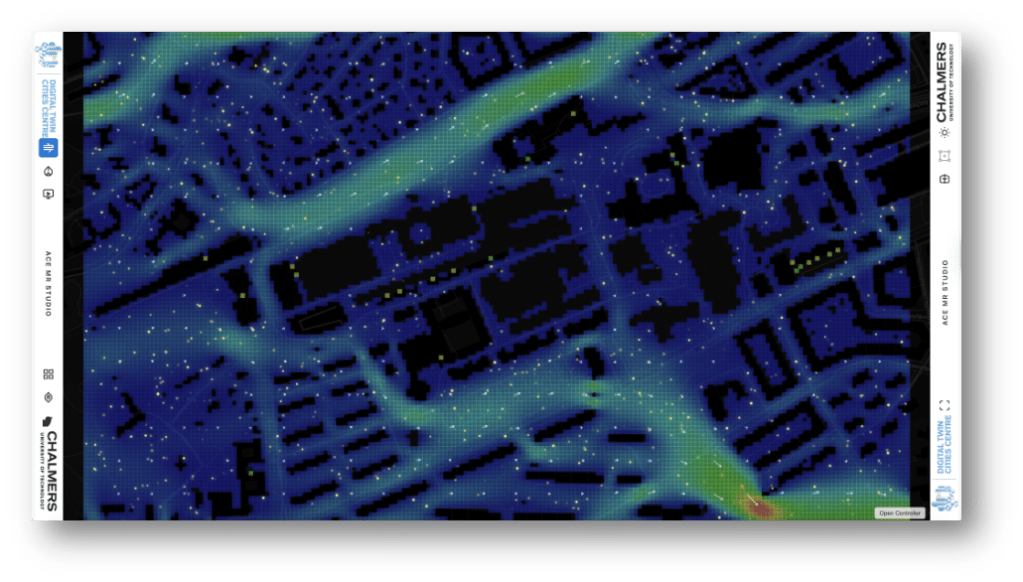
Real-time 2D Lattice Boltzmann CFD simulation projected onto the table.
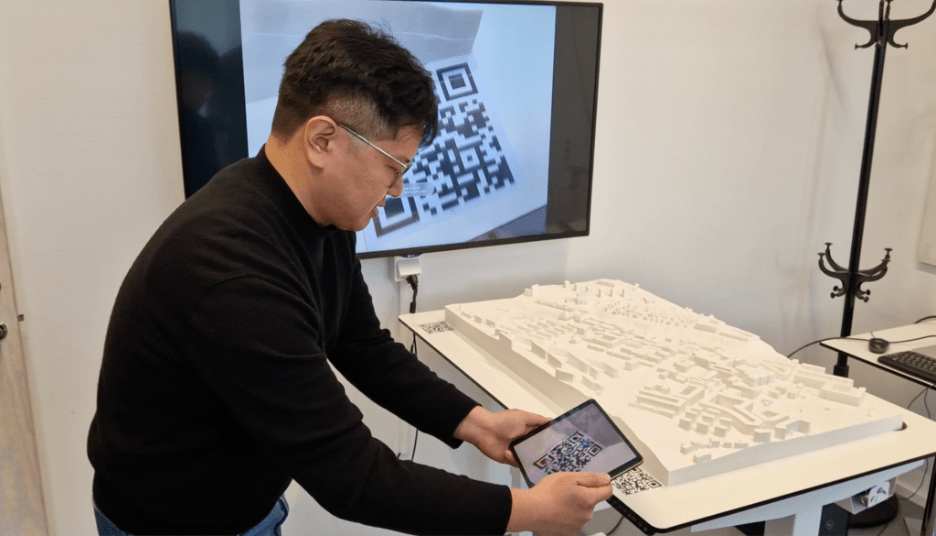
Simultaneously, PhD student Jieming Yan is developing Augmented Reality (AR) prototypes to layer building performance data directly onto the physical model. You first see the physical context, but holding up a tablet reveals the invisible energy metrics.
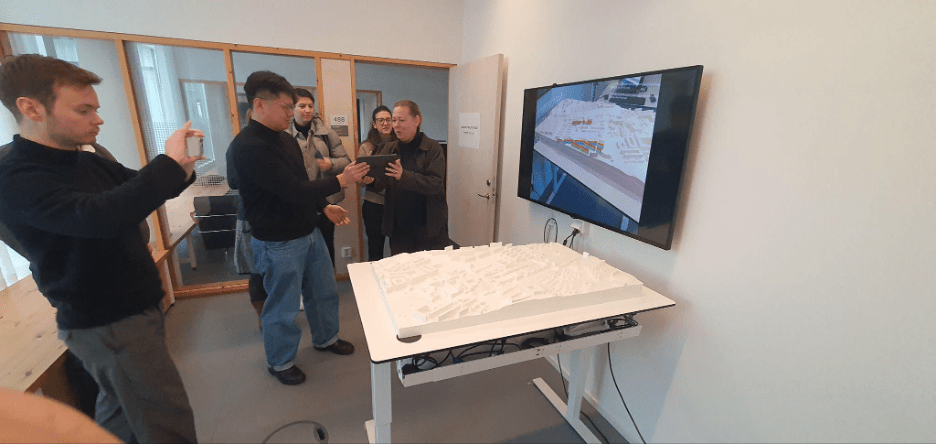
Technical details
The Software Stack
We deliberately moved away from heavy game engines like Unity or Unreal Engine at this initial stage to ensure accessibility and rapid prototyping:
- MapLibre GL JS: Handles core map rendering and vector tiles.
- Three.js: Handles the real-time shadows.
- GeoTIFF.js: Enables client-side processing of heavy DEM rasters for stormwater simulations.
- BroadcastChannel API: Decouples the interface, allowing a presenter to drive the visualisation from a tablet while walking around the table.
The Calibration Challenge
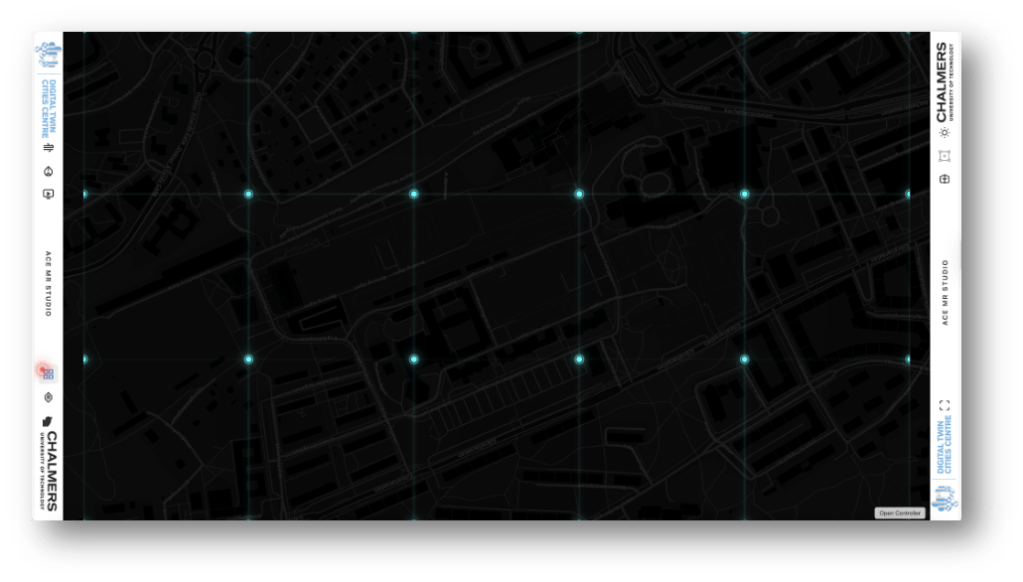
We avoided expensive mesh-warping software by leveraging the web stack. We built a “Grid Animation” layer: a projection of the physical tile boundaries. We manually adjust the digital camera in the web app until the hologram overlaps the physical seams, saving the configuration to a JSON file.
The Data Pipeline
The pipeline is built on the open-source DTCC Platform.
- Automated Tiling: We utilise Blender in headless mode to automatically slice the large city mesh into standard 20cm × 20cm tiles.
- Magnet Integration: We learned a hard lesson during prototyping: standard N52 neodymium magnets were too strong and often ripped out of their housings. We switched to slightly weaker magnets, which provided the perfect balance of holding force and durability.
AR Tracking
Tracking on a featureless white surface is difficult. To simplify this problem, Jieming Yan used Fologram and Rhino Grasshopper. Pre-simulated results are stored locally, and the visualisation is synchronised to a handheld device through a Grasshopper–Fologram workflow. Once data loading and occlusion challenges are addressed, QR-based reference markers are used to align the virtual and physical models. “Once scaled and aligned, the digital model remains spatially registered with the physical one, allowing building-performance data to be explored in its physical context.” says Jieming Yan.
A Canvas for Discussion
A table needs a home. Henriette Söderberg, Angela Sasic Kalagadis, and Elisabeth Meyer helped us transform “SB-488”, a standard meeting room, into a dedicated studio with controlled lighting and ceiling-mounted projection.
The true test of the studio is in its use. As Ida Gäskeby (Chalmers Fastigheter) noted during our testing:
“This is a very different type of thing than just watching a PowerPoint… with this table we can show information at different levels of knowledge… and discuss important decisions.”
An Invitation
We are just getting started. The ACE Mixed Reality Studio is not a finished system, but a shared platform for experimentation.
If your research produces maps that are hard to explain, simulations that stay stuck on laptops, or results that disappear into reports, this table is for you.
We are looking for partners to push the boundaries of this platform. If you have urban data and ideas for visualisation, come visit us for a demo!
The Team Behind the Table
A huge thanks to the team that made this happen:
- Sanjay Somanath: Technical Lead
- Arvid Hall & Jarkko Nordlund: 3D Printing & Fabrication
- Sara Aboubeid: 3D Modelling
- Jieming Yan: AR Prototype
- Vasilis Nasarentin: DTCC Development
- Ida Gaskeby: First Test User
- Johan Bodell: Film Production
- Catharina Björk & Nadia Tahir: Communication
- Alexander Hollberg: Principle Investigator
Watch the Video:
Resources:
 Sustainable Built Environments